Compare
Compare mobile grooming software around the route day OpenDog is built for.
OpenDog is built for mobile groomers who need the route, pet record, request, invoice, and follow-up to stay connected. Compare other tools against that exact workflow, not just a generic feature checklist.
Comparison proof
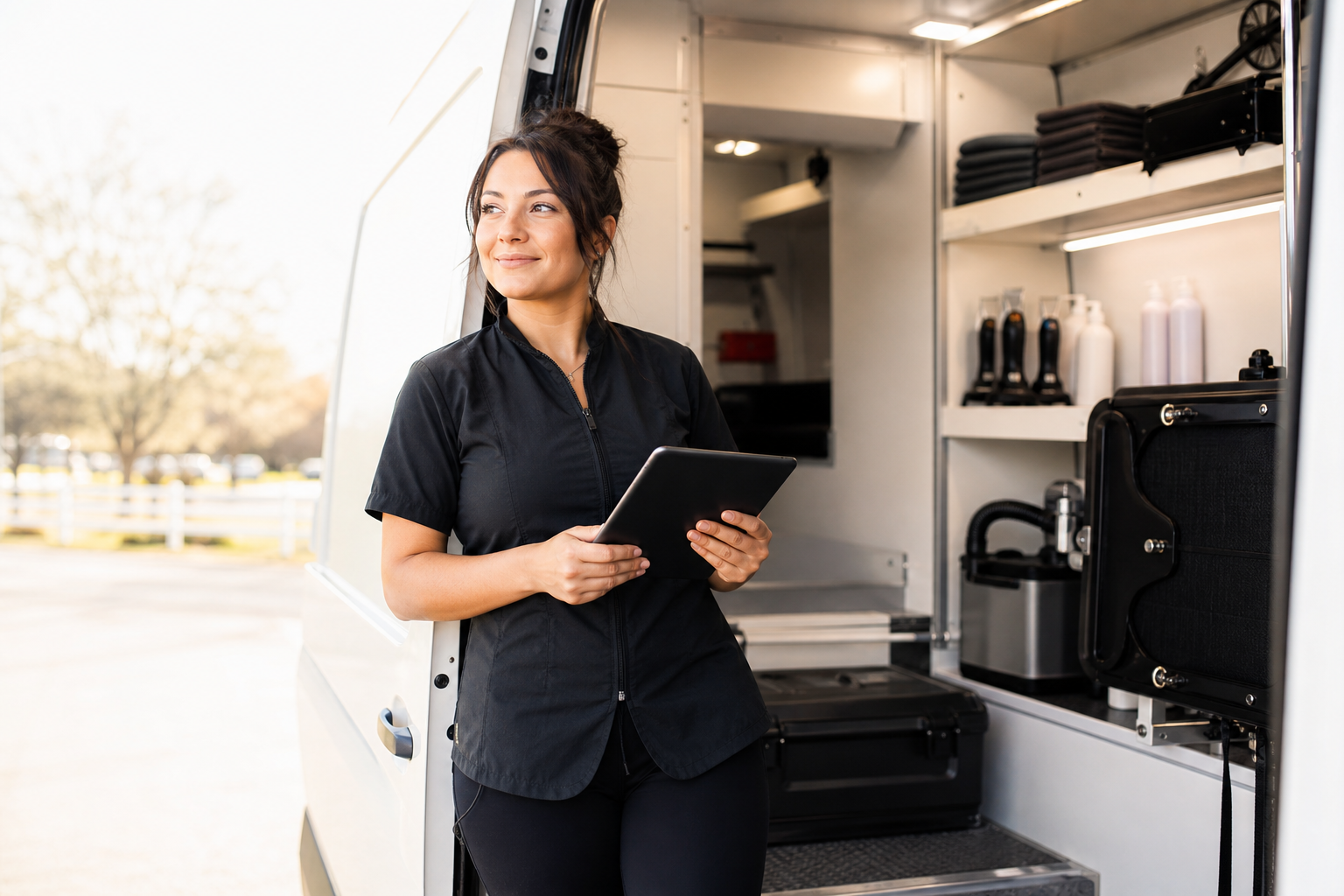
Judge software by the real route day.
Use real schedule, pet record, invoice, and follow-up context when deciding whether OpenDog fits.
Why OpenDog
OpenDog keeps the mobile grooming workflow readable and connected.
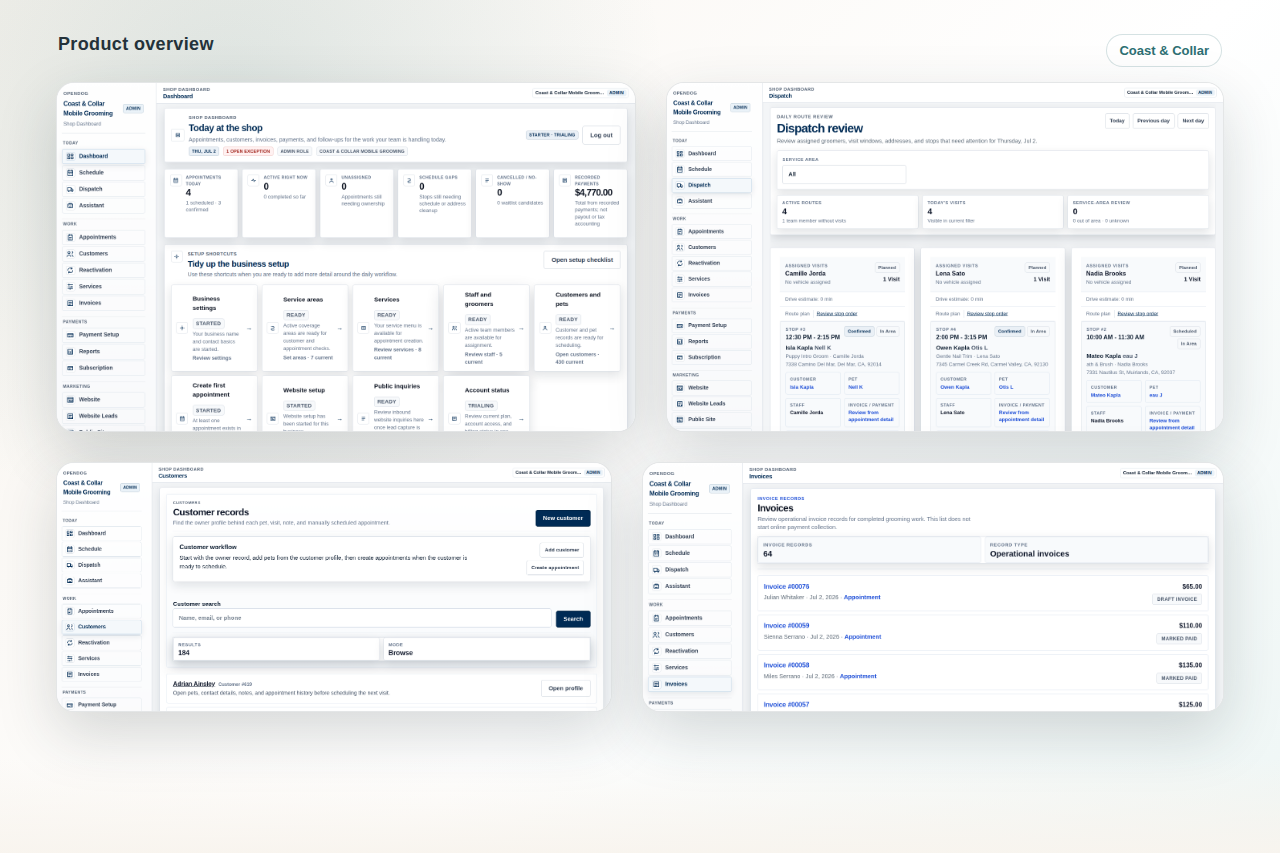
Use these views to compare what matters for a mobile grooming business: route-day clarity, pet-record context, and follow-up work that does not disappear into separate tools.
One place for the route day
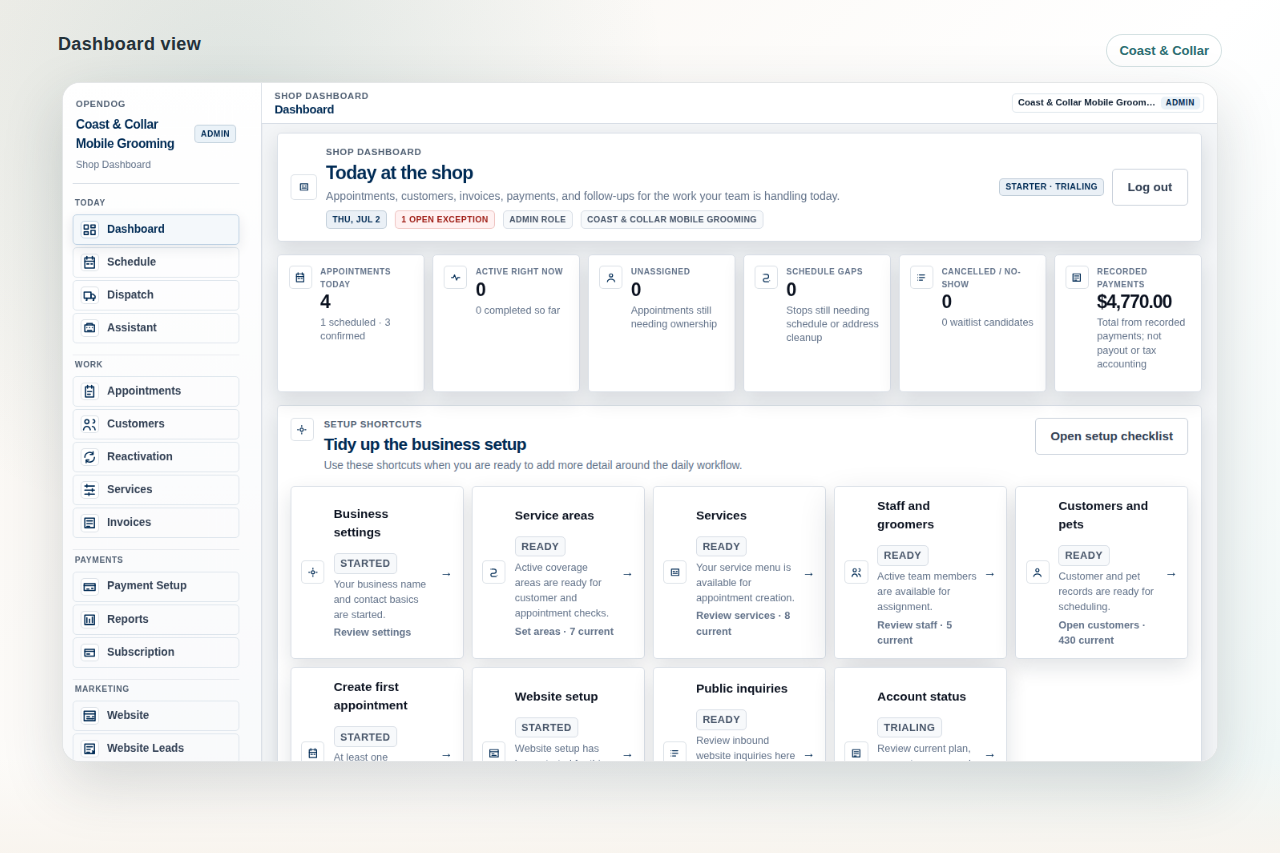
OpenDog keeps the schedule, route context, setup tasks, and daily work visible from the same operating system.
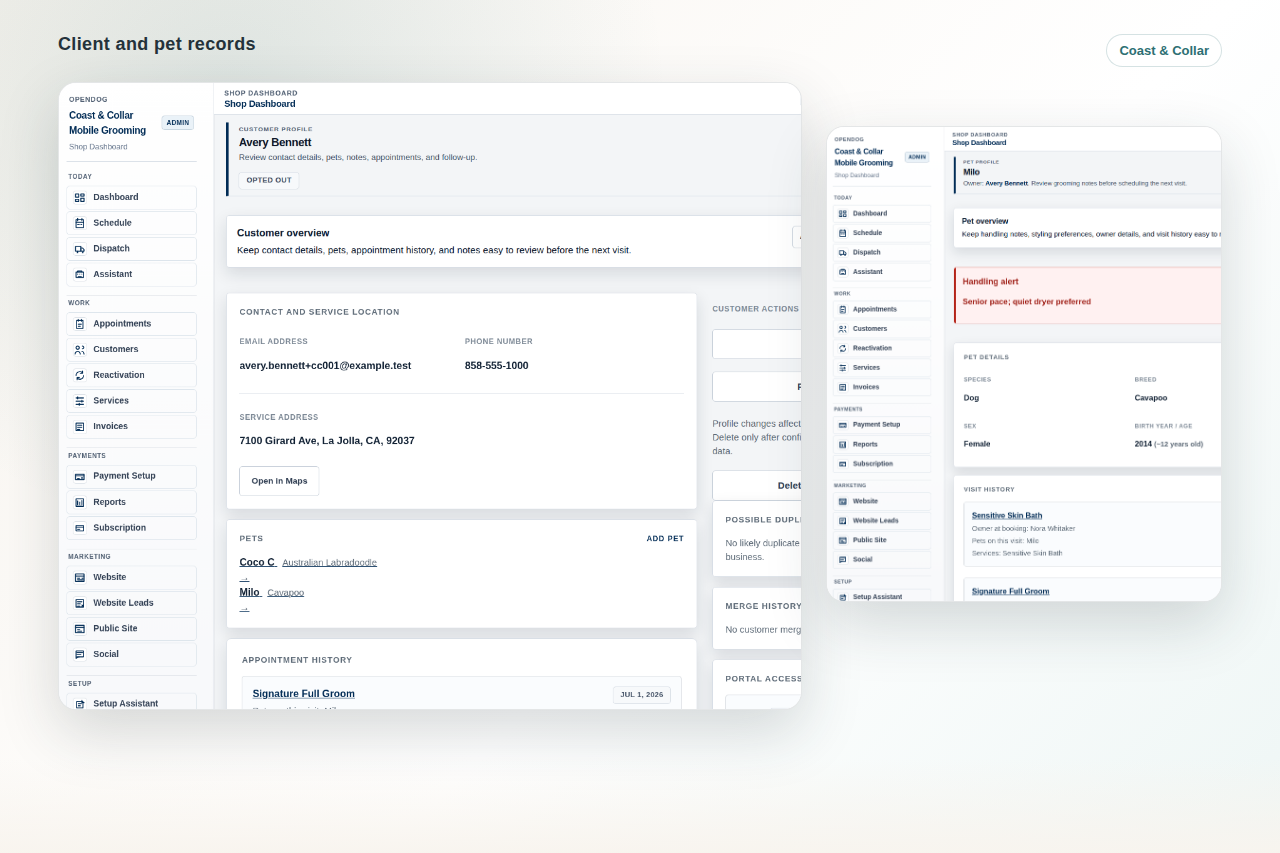
Pet records built into the workflow
Pet and customer details sit beside appointment history and grooming context instead of living in memory or scattered notes.
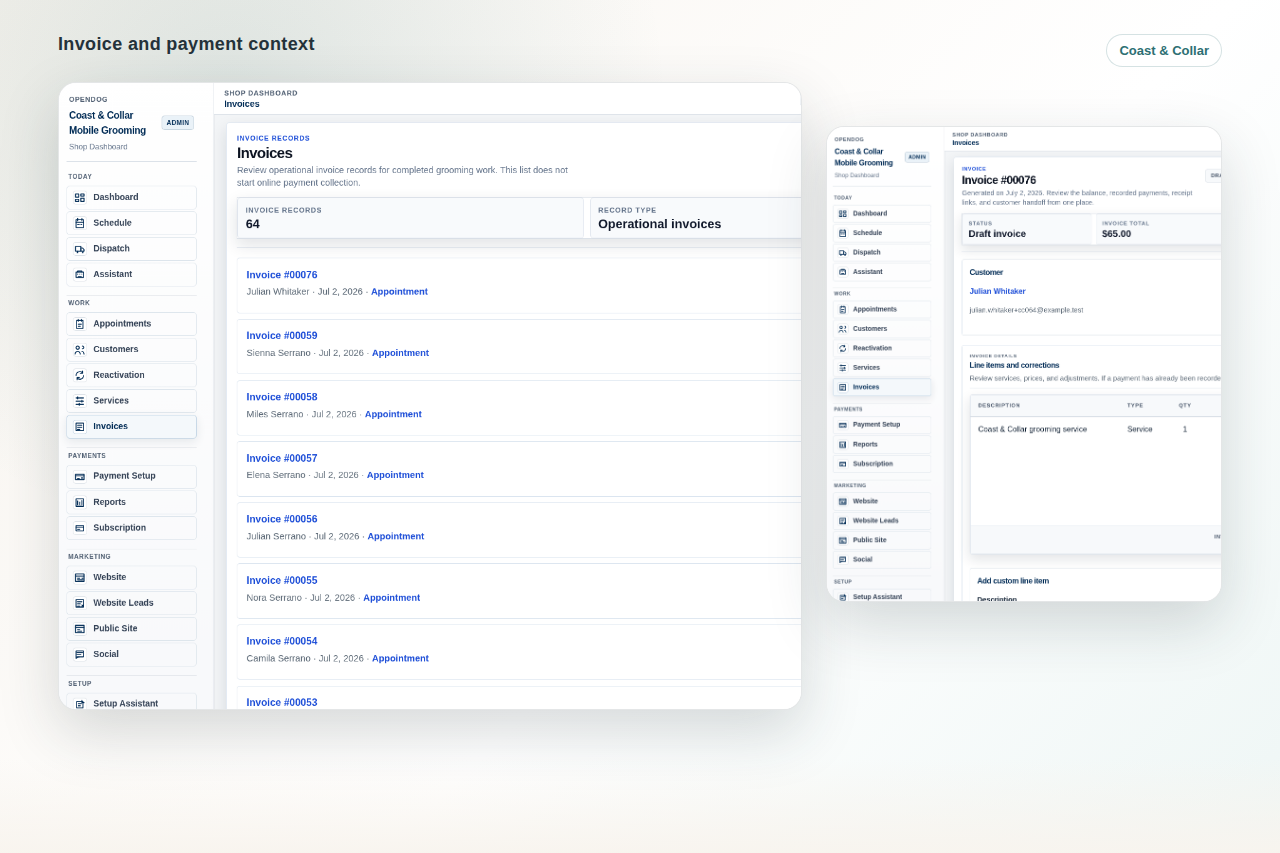
Requests, invoices, and follow-up connected
OpenDog is designed so request review, invoices, payment status, and follow-up stay part of the grooming workflow.
How to compare mobile grooming software.
Start with the grooming day rather than a vendor checklist. A useful comparison follows one request into route review, one appointment into the field view, one pet record into the groom, one invoice into payment status, and one finished groom into rebooking.
- Use real business examples.
- Compare the owner view and groomer view.
- Write down what still needs another app.
How mobile grooming software differs from salon-only software
Mobile grooming software has to respect service areas, drive time, arrival windows, parking or access notes, route order, van capacity, and route-sensitive customer requests. Salon-only workflows can be useful for shop scheduling, but they may not show whether the next stop makes sense from the road.
- Route fit matters before confirmation.
- Pet and customer context need to travel with the appointment.
- Field visibility matters as much as the calendar.
Compare route-aware scheduling
Ask whether each tool helps the owner review drive time, appointment length, service area, route order, assigned groomer or van, buffer time, and same-day changes before the route breaks.
- Can a new request be reviewed before it lands on the calendar?
- Can the day be checked by geography and timing?
- Can late changes keep pet and customer context attached?
Compare staff and groomer field view
Owners need control, but groomers need a fast view of the next stop: address, pet, service, notes, access details, payment context, and follow-up expectations. The best tool keeps that field view useful without exposing unnecessary owner-only work.
- Open the day from a groomer perspective.
- Check whether notes are readable on mobile.
- Confirm what staff can and cannot see.
Compare invoices, payments, and receipts
Payment workflow is judged by what happens around the appointment: invoice creation, deposit or balance context, payment status, receipt visibility, tips, unpaid follow-up, and provider setup. Avoid assuming automatic payment behavior until the actual setup is confirmed.
- Separate software billing from groomer-customer payments.
- Review receipts and balances in the appointment context.
- Ask what provider setup is required.
OpenDog starts with mobile-groomer-first operations.
A mobile grooming business is not just a calendar with a dog name on it. OpenDog is shaped around service areas, drive time, route review, pet notes, request fit, invoice context, and follow-up after the groom.
- Compare route fit, not only open time slots.
- Check how customer addresses and pet notes travel with the appointment.
- Look for field context that works from the van.
OpenDog reduces the cost of scattered tools.
Texts, spreadsheets, payment apps, notes, calendars, and memory can work early, but they make the business harder to trust as volume grows. OpenDog gives the owner one grooming-focused workflow to review instead of rebuilding the day from fragments.
- Use real examples from your own business.
- Test a new client, a repeat dog, a multi-pet household, and a route change.
- Look for what OpenDog keeps connected without extra work.
OpenDog protects the route before the day breaks.
Route-aware scheduling matters because one bad fit can create unpaid driving, rushed grooms, awkward rescheduling, and client-facing stress. OpenDog keeps route context close to appointment and request decisions.
- Review requests before confirming.
- Keep route order and appointment length visible together.
- Handle changes without losing pet or customer context.
OpenDog keeps pet records in the daily workflow.
A pet record is useful only if it appears when the groomer and owner need it. OpenDog keeps notes, history, household context, and appointment context close to the work instead of buried in separate notes.
- Review pet-specific notes before the stop.
- Keep household and appointment history connected.
- Use records to reduce repeated questions.
OpenDog connects requests, invoices, and follow-up.
Mobile grooming operations need a clean path from request review to appointment, invoice, payment status, receipt context, and rebooking. OpenDog is built to keep those pieces together.
- Review request fit before the route is committed.
- Keep invoice and payment context near the appointment.
- Use follow-up and rebooking as part of the same workflow.
Questions to ask during demos
Use the same real route, repeat pet, new request, invoice, and follow-up scenario in every tool you evaluate. The OpenDog difference shows up when the workflow needs route-day clarity instead of another generic scheduling surface.
- Use one real route as the test case.
- Include one new customer and one repeat pet.
- Write down what still requires texts, memory, or spreadsheets after the demo.
FAQ
Common questions from grooming businesses.
What is the biggest difference between mobile and salon-only software?
Mobile grooming software needs to account for route order, drive time, service areas, arrival windows, access notes, and field context in addition to appointments and records.
What do I compare first?
Start with route-aware scheduling, customer and pet records, groomer field view, request flow, invoices, receipts, exports, and setup support.
Do I pick the tool with the most features?
Not automatically. The better choice is the one that handles your real route, pet notes, payments, staff handoff, and customer communication with less confusion.
How do I use a demo?
Bring real scenarios: a new request, a multi-pet household, a route change, a pet with handling notes, an invoice, a receipt, and a rebooking follow-up.
Where does OpenDog fit?
OpenDog is designed for mobile-first, route-aware grooming workflows with self-serve setup around the business you already run.
Compare OpenDog against your real route day.
Use your actual requests, pet records, route changes, invoices, and follow-up tasks to decide whether OpenDog is the practical fit.