
Resource guide
Client message templates for mobile groomers.
Clear messages reduce repeat questions, protect the route, and help the business sound professional without turning every appointment into a custom writing job.
Quick answer
Use short, specific templates for confirmations, reminders, arrival windows, route delays, vaccine or pet-note requests, payment reminders, cancellation policy reminders, no-show follow-up, and rebooking. Keep the tone friendly, direct, and easy to scan on a phone.
Why it matters
Mobile groomers often text while parked, between stops, or after a long day. Templates help keep customer communication consistent without burying appointment details in personal text threads.
Practical checklist
Use this checklist to tighten the workflow before the next busy grooming day.
- Appointment confirmation template
- 24-hour reminder template
- Arrival window template
- Route delay template
- Vaccine or pet-note request template
- Cancellation policy reminder template
- No-show follow-up template
- Rebooking follow-up template
- Text-versus-email decision rule
How OpenDog helps
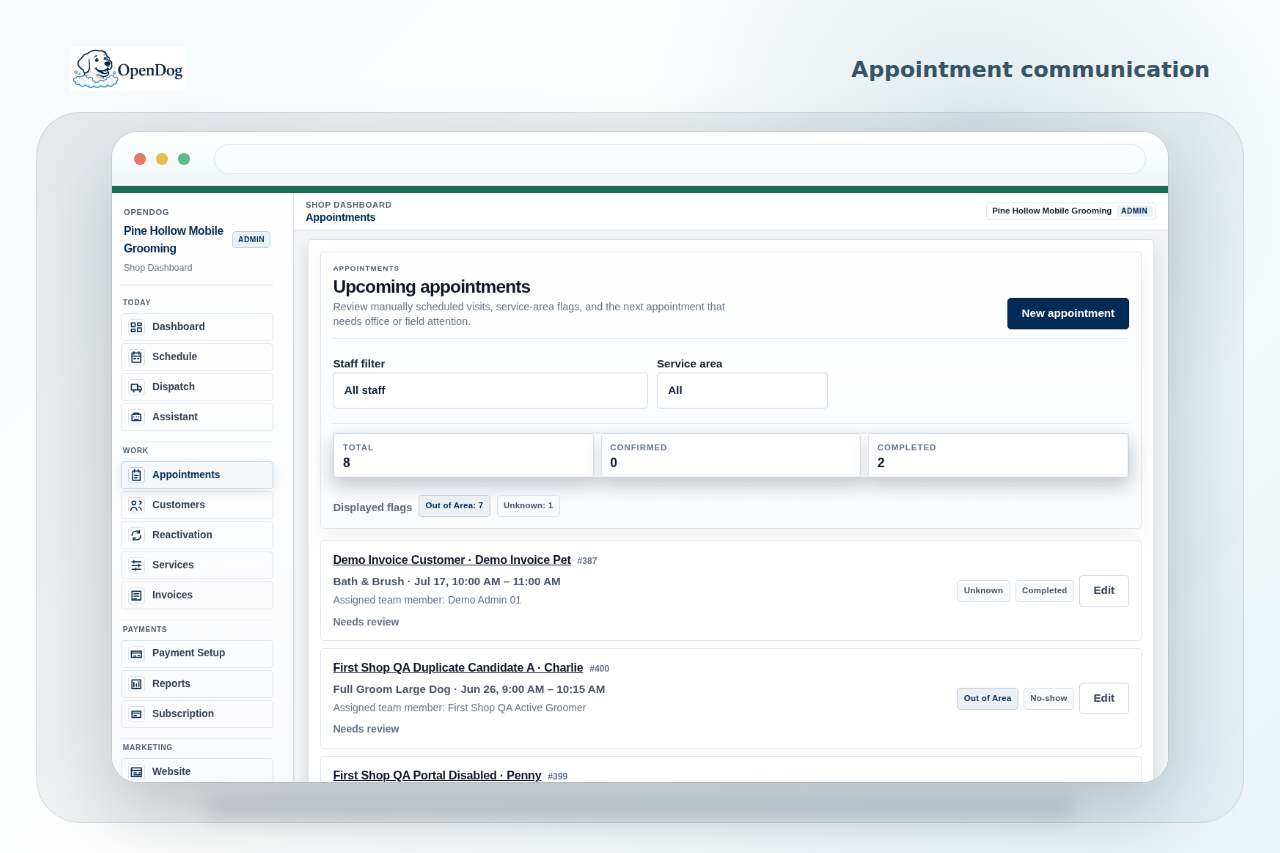
OpenDog helps keep messages connected to the appointment, customer, pet record, payment status, and follow-up workflow so the business can find the conversation later.
Appointment reminder templates
Use reminders to confirm the date, arrival window, pet prep, access details, and payment expectations without sounding stiff.
- Hi [Name], this is [Shop]. We have [Pet] scheduled for [Day] with an arrival window of [Window]. Please have [Pet] ready, with parking/access available. Reply here with any changes.
- Reminder for [Pet] tomorrow: arrival window [Window]. Please send any coat, skin, behavior, or access updates before the appointment so we can plan the groom.
- Hi [Name], we are confirming [Pet] for [Service] on [Day]. If anything changed with health, vaccines, matting, address, or parking, send it before the appointment.
Route delay and arrival window templates
Mobile grooming days can change because of traffic, coat condition, parking, cleanup, or a previous appointment running long. Use a message that acknowledges the delay and gives the customer a useful next window.
- Hi [Name], we are running about [Minutes] behind because the previous appointment needed extra time. New arrival window: [Window]. Thanks for your patience.
- Route update for [Pet]: traffic/parking has shifted the day. We now expect to arrive around [Time]. I will send another update if that changes.
- Hi [Name], we are on the way to [Pet]. Estimated arrival is [Time]. Please make sure access and parking are ready.
Vaccine, health, and pet-note request templates
Ask for safety details before the groom, especially for new pets, seniors, behavior concerns, skin issues, or changes since the last appointment.
- Before [Pet] appointment, please send any vaccine, health, medication, behavior, skin, or coat changes we need to know about.
- For safety, please let us know if [Pet] has new soreness, coughing, skin irritation, fleas, matting, or handling concerns before we arrive.
- New-client request: please send [Pet] age, breed, size, coat condition, behavior notes, vaccine status, and the service you are hoping to book.
Cancellation and no-show policy reminder templates
Policy reminders work best when they are plain and sent before there is a problem. Keep the wording calm and consistent with the policy the shop actually uses.
- Reminder: appointment changes need [Notice Window] notice so we can protect the mobile route. Late cancellations may be charged according to our policy.
- We arrived for [Pet] appointment and could not complete service because [Reason]. We will follow up about next steps and any missed-appointment fee under our policy.
- We missed you today for [Pet]. To rebook, reply here. Future appointments may require confirmation or deposit before we hold the route spot.
Rebooking follow-up templates
Rebooking messages help good customers stay on a healthy grooming cycle and help the business fill the route before gaps appear.
- Hi [Name], [Pet] is usually best around a [4/6/8]-week grooming cycle. I have openings around [Dates]. Want me to hold one?
- [Pet] next groom window is coming up. Reply with your preferred week and we will check route fit before confirming.
- Thanks for today. For [Pet] coat, I recommend rebooking around [Date Range]. I can send options that fit your area.
When to text versus email
Use text for time-sensitive appointment details and email for longer policy or setup information. The key is consistency: customers need to know where to look for appointment-critical updates.
- Text: confirmations, arrival windows, route delays, access issues, payment links, same-day changes.
- Email: longer policy updates, onboarding packets, service menu details, receipts when the customer prefers email.
- Do not put sensitive pet health or payment details in casual threads if the shop has a better protected workflow.
Related next steps
Use the linked feature, solution, and setup pages to turn this guide into a practical OpenDog setup path.
FAQ
Common questions from grooming businesses.
Can I copy these templates directly?
Yes, but adapt them to your service area, tone, policies, and local requirements before sending them to customers.
Are these legal policy templates?
No. They are practical message examples, not legal advice. Get professional advice for policy language when needed.
When is text better than email?
Text works best for appointment-critical details like arrival windows, reminders, access issues, and same-day changes. Email works better for longer policies and setup information.
Can OpenDog send these automatically?
OpenDog keeps messaging connected to appointments and records. Any automation or provider behavior depends on the supported setup path.
How do templates help route control?
Clear reminders and arrival-window updates reduce repeat questions, missed prep, access issues, and last-minute confusion that can damage the route.
Put better messages next to the appointment.
Use self-serve setup to connect confirmations, reminders, policy notes, and follow-up with your route and pet records.